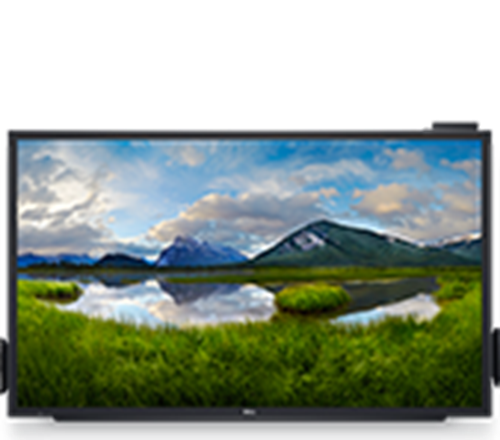
Dell C5518QT Monitor is a monitor for everyday work, multimedia and comfortable content viewing, with a focus on resolution, connectivity and ergonomics. The data on this page helps to provide a clear comparison before purchase.
If you need a large, professional screen for presentations and team collaboration with instant interaction, the Dell C5518QT is a reliable meeting room class solution. The analysis 4K offers clear text and crisp graphics, while the touch function helps with brainstorming, note-taking and interactive presentations.
Ideal for: meeting rooms, training/seminars, showrooms, slots and information points where you want interactive content to be displayed.
Connectivity & Compatibility: connect a video source via HDMI/DisplayPort/VGA. For touch to work from a PC, a connection is also required USB upstream (according to Dell's official documentation).
Official sources: Dell C5518QT Product Spec Sheet (PDF) · Dell C5518QT User's Guide (PDF)
What do I need for touch to work from a computer?;
In addition to the video cable (HDMI/DisplayPort/VGA), a USB upstream connection from the computer to the monitor is needed to transfer the touch signals.
The product is without a stand - how do I place it?;
It can be mounted on a wall or on a suitable stand that supports VESA 300 × 300 mm. If you want confirmation of your setup, please contact us before purchasing.
Is it suitable for a meeting room?;
Yes. The large diagonal and support for up to 20 touch points make the screen particularly practical for presentations, collaboration and note-taking in groups.
Which operating systems does it work with?;
According to the official Dell spec sheet, Windows, Chrome OS, Android, Linux-based OS and macOS (depending on usage and connections) are supported.
How much does it weigh?;
According to the Dell Product Spec Sheet, the weight of the panel is 53 kg (shipping weight 66 kg).
Frequently Asked Questions (FAQs)
What is the Dell C5518QT Touch Monitor suitable for?;
It is suitable for professional use, daily productivity and office work, based on the composition of the indicated technical characteristics.
What does it offer in everyday use?;
It combines the composition of the listed technical features with features that help with comfortable office work, navigation, video calls and multiple simultaneous tasks.
What should I check before buying?;
Check the technical characteristics, compatibility, intended use and connection requirements before selecting.
Only logged in customers who have purchased this product may leave a review.





Reviews
There are no reviews yet