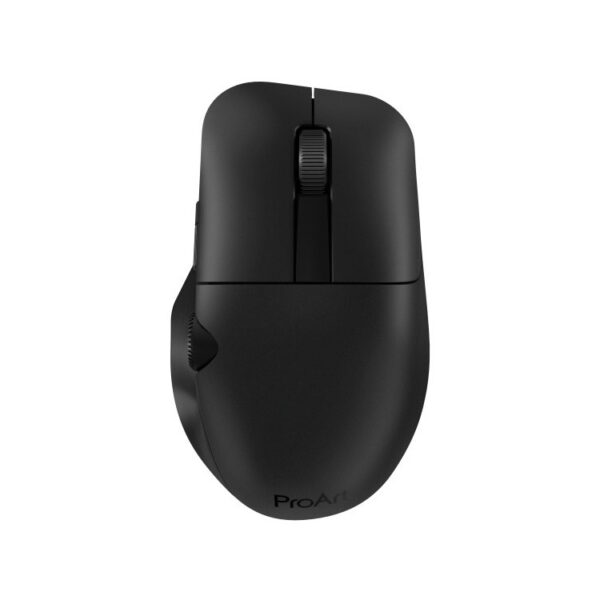
The ASUS ProArt MD300 Wireless Mouse Black is a wireless mouse designed for creators and professionals who want precise control in design, image editing, and everyday productivity applications. The ASUS Dial and side scroll wheel help with quick adjustments, such as zooming, switching tools, or scrolling through the timeline, while the optical sensor with up to 4200 dpi provides smooth tracking even on challenging surfaces.
It connects via 2.4GHz RF for instant response or via Bluetooth 5.0 for flexibility with more devices. Charging is via USB-C, and ASUS claims up to 150 days of use on a full charge, depending on usage. The 6 programmable buttons, Omron switches, and a polling rate of up to 1000 Hz make it a practical choice for office work, creative applications, and more precise navigation.
Official source of specifications: https://www.asus.com/us/accessories/mice-and-mouse-pads/proart/proart-mouse-md300/
ASUS eShop Official Website: https://eshop.asus.com/us/90xb04f0-bmu000-proart-mouse-md300.html
Frequently Asked Questions (FAQs)
Question: Who is the ASUS ProArt MD300 Wireless Mouse best suited for?;
Answer: It's ideal for creators, designers, and office users who want a precise wireless mouse with additional controls for creative applications.
Question: What does ASUS Dial offer on the ProArt MD300?;
Answer: ASUS Dial provides quick control over functions such as zoom, brush size, timeline, or volume, depending on the app and the user's settings.
Question: Does the ASUS ProArt MD300 Wireless Mouse support Bluetooth?;
Answer: Yes, it supports Bluetooth 5.0 and 2.4 GHz RF connectivity, so it can be used wirelessly in various work scenarios.
Question: How accurate is the mouse sensor?;
Answer: The optical sensor has a resolution of up to 4,200 dpi, and ASUS reports a polling rate of up to 1,000 Hz for smooth and responsive movement.
Question: How do you charge the ASUS ProArt MD300?;
Answer: It charges via a USB-C cable, and the official website mentions a one-minute quick charge for brief use when you need it right away.
Question: Is it compatible with Windows 10 and Windows 11?;
Answer: Yes, the official ASUS eShop website lists support for Windows 10 and Windows 11.
Only logged in customers who have purchased this product may leave a review.






Reviews
There are no reviews yet