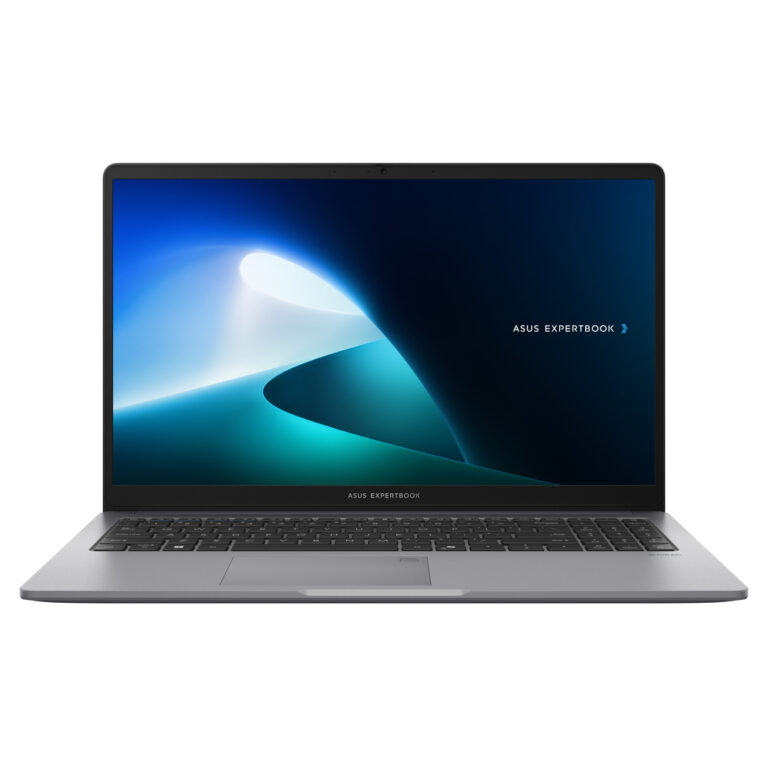
ASUS ExpertBook P1 (P1403CVA) – P1403CVA-GR210H4C0X
The ASUS ExpertBook P1 (P1403CVA) is a 14″ business laptop aimed at daily productivity, telecommuting and office use, with practical connectivity and an emphasis on security. For confirmed information from the manufacturer, see the official ASUS pages: Tech Specs, datasheet (PDF) and manuals/support.
Who is it suitable for?
- Office & home office: email, browsing, ERP/CRM, Office/Google Workspace, teleconferencing.
- Studies & work on the move: lightweight and easy to connect to a screen/projector.
- Fixed network: when you need a wired connection via RJ‑45 in a corporate environment.
Compatibility & practical use
- USB‑C: ideal for charging (Power Delivery) and image (DisplayPort) with one cable, where supported by the source.
- External displays: you can use HDMI or USB‑C (DP Alt Mode), depending on the connection that suits you.
- Docking/peripherals: for an office setup, a USB‑C dock helps connect a display, network, and USB devices easily.
Security & privacy
- TPM 2.0 and security/locking capabilities, according to official ASUS specifications.
- Webcam shield and biometric login options (depending on configuration).
Notes: Exact configurations (e.g. memory/storage/OS) may vary. For full confirmation, see the ASUS Tech Specs and the datasheet.
Does the model have RJ‑45 (wired network)?;
According to ASUS' official Tech Specs for the P1403CVA series, it includes RJ‑45 Gigabit Ethernet. See ASUS sources at the Tech Specs link.
Can I connect an external monitor with a cable?;
Yes, when you use USB‑C with DisplayPort (and possibly Power Delivery). Alternatively you can use HDMI, depending on the device/display.
Is it suitable for teleconferencing?;
It is designed for office use and online meetings. The official specifications mention a camera and privacy features (webcam shield), depending on the configuration.
What should I check before buying (compatibility)?;
Check whether you will use HDMI or USB‑C (DP Alt Mode) for your display, and whether you need docking/ethernet in a desktop setup. To confirm I/O ports, see ASUS Tech Specs.
Where can I find official documents/information from ASUS?;
On the official ASUS pages: Tech Specs, datasheet (PDF) and manuals/support.
Only logged in customers who have purchased this product may leave a review.





Reviews
There are no reviews yet