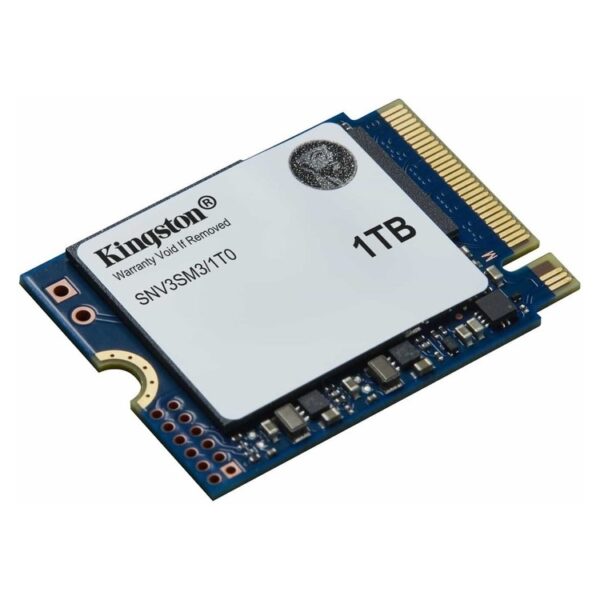
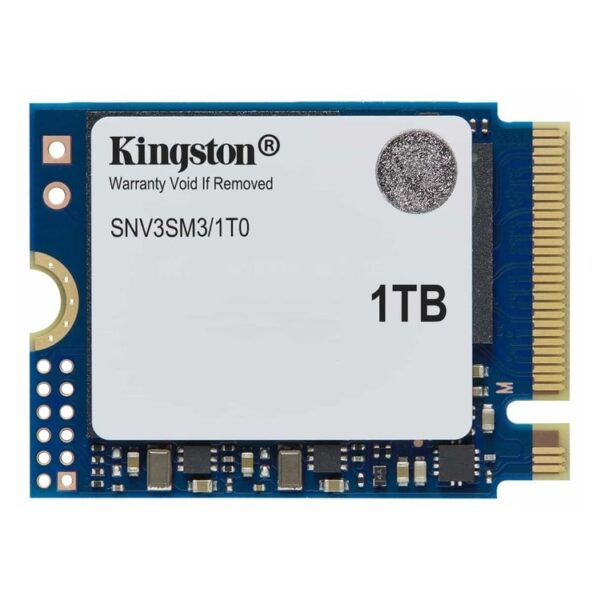
Discover the ultimate storage solution with the Kingston SSD M.2 2230 NV3 SNV3SM3/1T0. Offering 1TB of storage combined with NVMe technology and PCIe 4.0 connectivity, this SSD is designed for professionals and power users who demand speed and reliability in their daily tasks.
- 1TB capacity for plenty of storage space.
- Next-generation NVMe technology for ultra-fast data transfers.
- PCIe 4.0 interface ensures superior performance and compatibility.
- Compact M.2 2230 design to save space on your computer.
Don't miss the opportunity to upgrade your storage experience. Order the Kingston SSD M.2 2230 NV3 SNV3SM3/1T0 now and enjoy top performance every time.
Who is it ideal for?
The Kingston NV3 in M.2 2230 It is a practical choice when you need fast storage on devices with limited available space. It is suitable for upgrades that aim for faster boot times, faster application opening, and more convenient file transfer in everyday use.
Compatibility & installation
Before purchasing, make sure your device has M.2 2230 port for NVMe and not a different length (like 2280) or a different type. If your system supports PCIe/NVMe but is an older generation, the maximum speed may be limited by the system itself.
To transfer data from an old drive, you can utilize Kingston's support tools, such as Kingston SSD Manager (includes ability to download Acronis True Image for cloning, where supported).
Official sources
Frequently Asked Questions (FAQs)
Does it fit devices that only accept M.2 2280?;
No. This particular model is M.2 2230 (shorter length). If your device only accepts 2280, you need an SSD in the corresponding form factor.
How can I check for sure if it is compatible with my device?;
Check your device's manual/technical specifications and confirm that it supports it. M.2 2230 NVMe. In many cases the manufacturer explicitly states the supported length (2230/2242/2280) and type (NVMe or SATA).
Does it need a heatsink?;
In most portable devices, space is limited. If there is a factory thermal pad/cover, consider using it. For desktop systems, the need for additional cooling depends on airflow and workload.
How do I monitor SSD health, firmware, and data?;
With the Kingston SSD Manager You can view model/firmware information, health status, and perform updates where supported (Windows).
What does TBW mean and how does it relate to endurance?;
The TBW (Total Bytes Written) is an indication of total writes related to the endurance of the SSD. For exact values and terms, see the official datasheet of the NV3 series.
Only logged in customers who have purchased this product may leave a review.





Reviews
There are no reviews yet