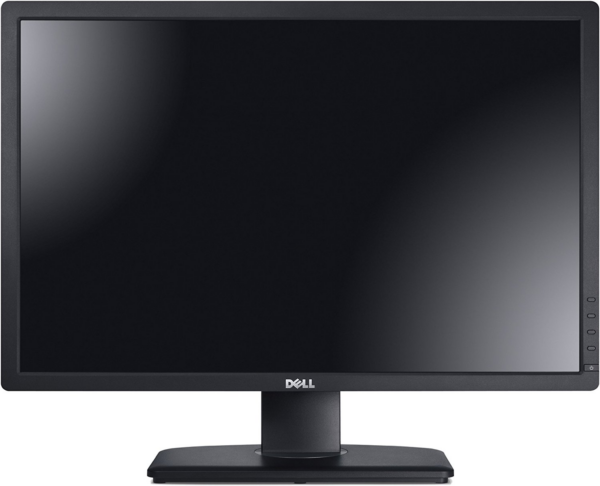
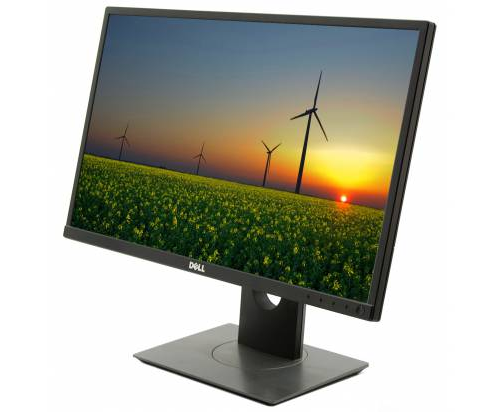
Dell P2214Hb *No Stand* Monitor, ideal for professionals and businesses looking for reliable image quality and placement flexibility. Designed to meet the demanding needs of the modern office, it offers the opportunity to install on a personal stand or arm of your choice, making it ideal for customized workspace solutions.
- Without base for greater flexibility in placement
- Suitable for workplaces with limited space
- Ideal for users who prefer personalized placement options or combination with existing stands
Choose the Dell P2214Hb *No Stand* monitor and discover the perfect balance between professional performance and installation flexibility. Order now and upgrade your office with Dell quality!
Dell P2214H (P2214Hb) 22″ FHD IPS (without stand)
The Dell P2214H (often appears as P2214Hb) is a reliable 22" Full HD IPS monitor for professional use, ideal when you want clear text, comfortable viewing and proper ergonomics in everyday office. This product is available without stand (No Stand), so you can combine it with VESA arm or base of your choice.
Who is it suitable for?
- Office/home office: stable image for emails, documents, ERP/CRM and long hours of work.
- Multi-monitor setups: practical choice when you want uniform displays on workstations.
- Use with arm: when you prefer proper placement/height and a clean desk without a large stand.
Compatibility & connection
The P2214H supports common video inputs such as DisplayPort, DVI-D and VGA (depending on your setup you will need the appropriate cable or adapter). For stand-free mounting, make sure your arm/stand is VESA compatible (100×100).
Official Dell sources
Frequently Asked Questions (FAQs)
What does "No Stand" mean?;
That the monitor is available without the factory stand. You can mount it on a VESA bracket/stand or on a stand you already have, as long as it is compatible.
Which stand/arm can I use?;
Use a stand/arm with VESA 100×100 support and suitable weight capacity for the monitor.
What can I connect it to?;
According to Dell's documentation, the P2214H has DisplayPort, DVI-D, and VGA. If your computer has HDMI or USB-C, you may need an adapter/cable depending on the port.
Are there USB ports on the monitor?;
According to the Dell brochure, the model has a USB hub (USB upstream + USB downstream). A USB connection to the computer is required for the USB ports to work.
Where do I find official information?;
In the official Dell PDFs listed above (brochure and guide).
Only logged in customers who have purchased this product may leave a review.





Reviews
There are no reviews yet