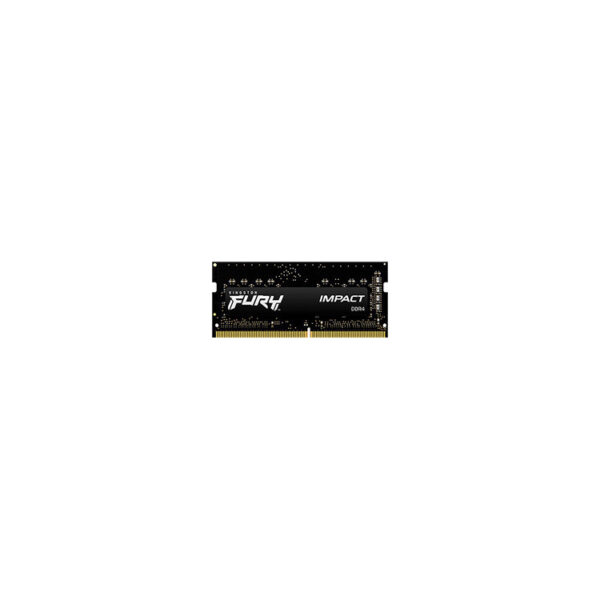
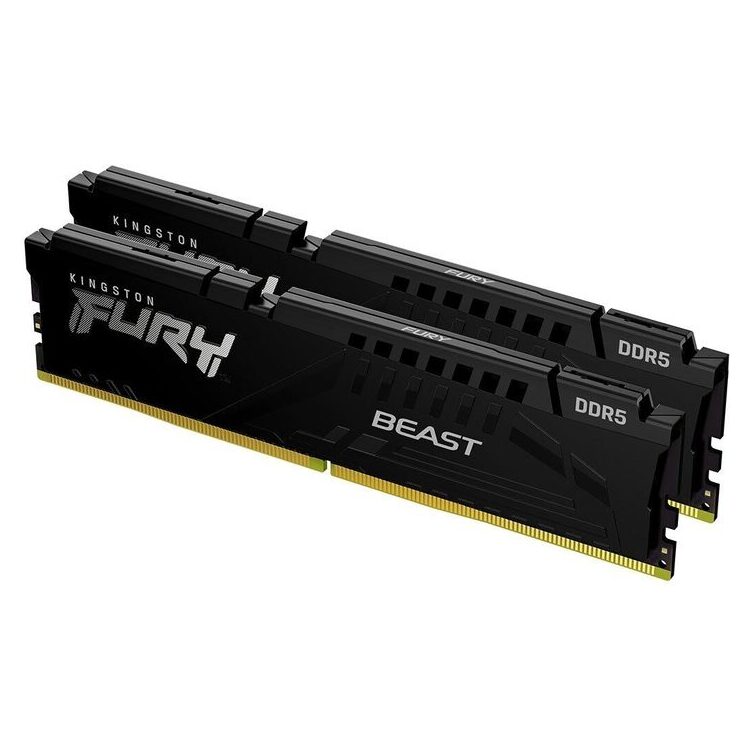
KINGSTON Memory KF432S20IB/16, FURY Impact DDR4 SODIMM, 3200MT/s, 16GB

211,79

Upgrade your system's performance with the KINGSTON FURY Impact DDR4 SODIMM 16GB memory, offering speeds up to 3200MT/s for comfortable and fast data processing.

13 in stock

Availability:
Available
SKU: OKT-KF432S20IB-16 Category:

Only 13 units remaining in stock!

Share your love

The Kingston FURY Impact KF432S20IB/16 it is memory 16GB for laptop/mini PC who use DDR4 SODIMM (260-pin). It's a good upgrade option when you want more capacity for multitasking, productivity apps, and everyday use, without changing your system.

Ideal choice when you want more comfortable multitasking (multiple tabs, office applications, light creative work) or when upgrading from a lower capacity. Before ordering, check how many RAM slots your system has, what capacity it supports per slot and in total, and if there is a space available for a second memory.

Main technical characteristics (official)

  • Part number: KF432S20IB/16
  • Capacity: 16GB (1x16GB)
  • Type: DDR4‑3200 (3200MT/s) SODIMM, 260‑pin
  • Timings: CL20 (20‑22‑22) @ 1.2V
  • Memory type: Non-ECC, Unbuffered
  • Organization: 1Rx8

Compatibility & selection guide

  • Check that your system is using DDR4 SODIMM (not DDR3/DDR5).
  • The maximum speed depends on CPU/chipset and BIOS. If the laptop does not support DDR4‑3200, the memory will operate at a lower JEDEC profile.
  • For better dual-channel potential, pair with a second SODIMM of the same capacity/speed.

Installation (coming soon)

  1. Turn off the laptop completely and unplug it from the power source.
  2. Follow the manufacturer's service manual to access the RAM port.
  3. Insert the SODIMM at an angle into the slot and press until it locks into place.

Official sources

Frequently Asked Questions (FAQ)

Is it compatible with every DDR4 laptop?;

KF432S20IB/16 is a DDR4-3200 memory in 260-pin SODIMM format. It is suitable for laptops/mini PCs that support DDR4 SODIMM. It is not compatible with DDR3/DDR5. The final operating frequency depends on the processor/chipset and BIOS.

Ideal choice when you want more comfortable multitasking (multiple tabs, office applications, light creative work) or when upgrading from a lower capacity. Before ordering, check how many RAM slots your system has, what capacity it supports per slot and in total, and if there is a space available for a second memory.

Will it run at 3200MT/s without settings?;

According to the official specifications, it supports Plug-N-Play (PnP) and Intel XMP 2.0. On many systems it will work automatically, but the maximum speed is determined by the BIOS and the platform. If DDR4-3200 is not supported, it may "drop" to a lower speed.

Ideal choice when you want more comfortable multitasking (multiple tabs, office applications, light creative work) or when upgrading from a lower capacity. Before ordering, check how many RAM slots your system has, what capacity it supports per slot and in total, and if there is a space available for a second memory.

What does Non-ECC Unbuffered mean?;

It means it does not have ECC (error correction) and is not Registered/Buffered. It is the standard memory type for laptop/consumer systems DDR4 SODIMM.

Ideal choice when you want more comfortable multitasking (multiple tabs, office applications, light creative work) or when upgrading from a lower capacity. Before ordering, check how many RAM slots your system has, what capacity it supports per slot and in total, and if there is a space available for a second memory.

Can I combine it with existing RAM?;

It can usually coexist with another DDR4 SODIMM, but for best compatibility/dual-channel it is recommended to match capacity, frequency and timings. Also check the maximum supported RAM of your system.

Ideal choice when you want more comfortable multitasking (multiple tabs, office applications, light creative work) or when upgrading from a lower capacity. Before ordering, check how many RAM slots your system has, what capacity it supports per slot and in total, and if there is a space available for a second memory.

What about the Kingston warranty?;

Kingston's official warranty terms apply to memory modules. See the relevant warranty statement on the official Kingston website.

Ideal choice when you want more comfortable multitasking (multiple tabs, office applications, light creative work) or when upgrading from a lower capacity. Before ordering, check how many RAM slots your system has, what capacity it supports per slot and in total, and if there is a space available for a second memory.

How do I check how much RAM my laptop supports?;

Check the manufacturer's specifications/service manual (laptop model or mini PC motherboard) or the official support page. They list the maximum total RAM, available ports, and compatible memory types. In many cases, checking through the BIOS/UEFI or manufacturer's diagnostic tools also helps.

Brand

Status

Reviews

There are no reviews yet

Only logged in customers who have purchased this product may leave a review.

Q & A

Ask a question
KINGSTON Memory KF432S20IB/16, FURY Impact DDR4 SODIMM, 3200MT/s, 16GB KINGSTON Memory KF432S20IB/16, FURY Impact DDR4 SODIMM, 3200MT/s, 16GB
Your question
* Question is required
Name
* Name is required
* Please tick the checkbox to proceed
There are no questions yet