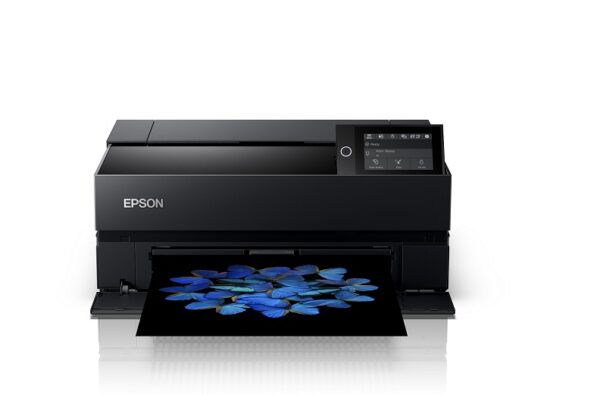
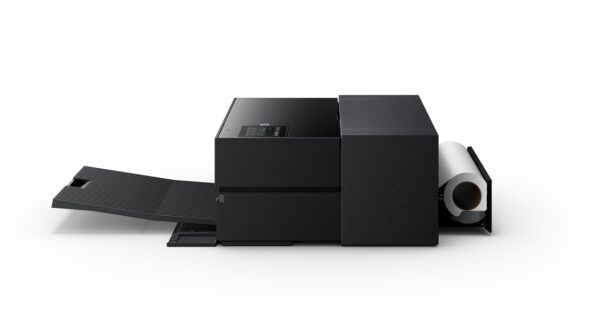
Epson SureColor SC‑P700 13″ (A3) photographic inkjet printer, for creators who want consistent quality in photos, art prints and essays in larger sizes. It is the right choice when color fidelity and detail are the priority, without the need for a «heavy» large format workflow.
Main points
- Category: photo printer (SureColor series)
- Print size: 13″ A3
- Ink/technology: UltraChrome PRO10 Ink Technology
- 10‑color archival pigment ink (UltraChrome PRO10).
What to look out for before buying
To get the result you expect from a photo printer, pay attention to the correct "matching" of paper and settings, as well as the way you will integrate it into your workspace.
- Space & workflow: Choose a location with easy access for paper/ink changes and proper ventilation.
- Printing media: For photographic results, select compatible photo paper/media according to Epson specifications.
- Connectivity: confirm the ports/network you need from the official specifications.
If you work with Lightroom/Photoshop or graphic design applications, it's worth checking with Epson for driver support and installation instructions to ensure smooth printing from Windows or macOS and proper color management.
Official sources
Frequently Asked Questions (FAQ)
What paper size does the Epson SureColor SC‑P700 support?;
According to Epson's official product page, the SureColor P700 is a 13" (A3) photo printer. For exact supported media sizes and types, see Epson's official specifications/support.
What ink does the SC‑P700 use?;
Epson mentions UltraChrome PRO10 Ink Technology.
How do I find guides/manuals for the SC‑P700?;
Through Epson's official support page you can find installation guides, drivers and manuals.
Does it have a USB or Ethernet connection?;
Epson's official product page mentions USB and Ethernet (e.g. in cable information). For the exact ports/connections available, please see the official specifications.
How do I choose the right paper/media for photo prints?;
Start with Epson's official recommendations/specifications for compatible media and follow the instructions in the manual. This will reduce errors (e.g. wrong paper type) and achieve more predictable colors.
Where do I confirm compatibility (Windows/macOS) and installation instructions?;
The safest source is Epson's official support page, where you will find drivers, installation guides, and updates that correspond to the model.
Only logged in customers who have purchased this product may leave a review.




Reviews
There are no reviews yet