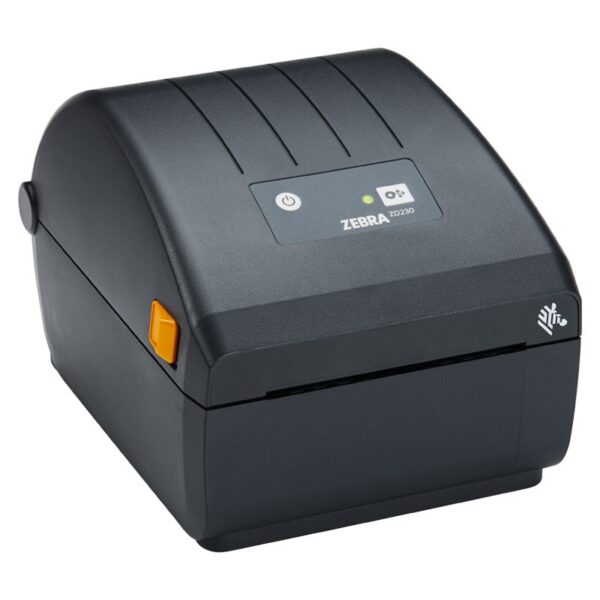
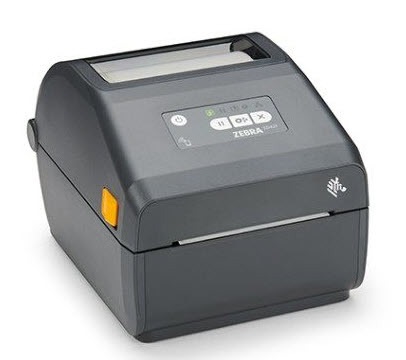
Zebra ZD230 (ZD23042-D0EC00EZ) is a label printer Direct Thermal for everyday printing in shipping, warehouse, retail and signage.
Direct Thermal means no ribbon needed: prints directly to thermal (direct thermal) labels. It is practical for workflows with quick shipping/courier labels and internal organization.
Where does it fit?
- Shipping and document labels (courier/fulfillment)
- Warehouse organization, shelves, boxes, picking
- Retail: prices, barcodes, product labels
Compatibility & connection
The version with Ethernet facilitates sharing on a network, while there is also USB for direct connection to a computer. For easy replacement of older Zebra/compatible models, the ZD230 supports ZPL and EPL (according to Zebra).
For installation on Windows/mission applications, it is recommended to use the official drivers and Zebra configuration tools from the official support page.
Official sources (manufacturer)
Frequently Asked Questions (FAQ)
What does Direct Thermal mean and does it need ribbon?;
Direct Thermal does not use a ribbon. It prints directly onto heat-sensitive labels and is practical for shipping/courier and internal signage.
What labels do I need for Direct Thermal?;
You will need direct thermal labels. If you need greater durability or very long-term preservation, prefer a thermal transfer solution (with ribbon) and a corresponding printer.
Can I share it on a network with Ethernet?;
Yes. The Ethernet version allows sharing on the corporate network via your environment's drivers/settings (Windows, print server, etc.).
Does it support ZPL or EPL for application compatibility?;
Yes. Zebra mentions ZPL and EPL support, which helps with replacement/compatibility with many existing print workflows.
Where can I find drivers, manuals and technical documents?;
On Zebra's official support page for ZD220/ZD230 you will find drivers, User Guide and additional downloads.
Only logged in customers who have purchased this product may leave a review.



Reviews
There are no reviews yet