Κατάσταση προϊόντος: Refurbished Grade B. Πλήρως λειτουργικό, σε πολύ καλή κατάσταση με εμφανή σημάδια χρήσης, όπως γρατζουνιές ή φθορές. Καλύπτεται από 2 χρόνια εγγύηση.
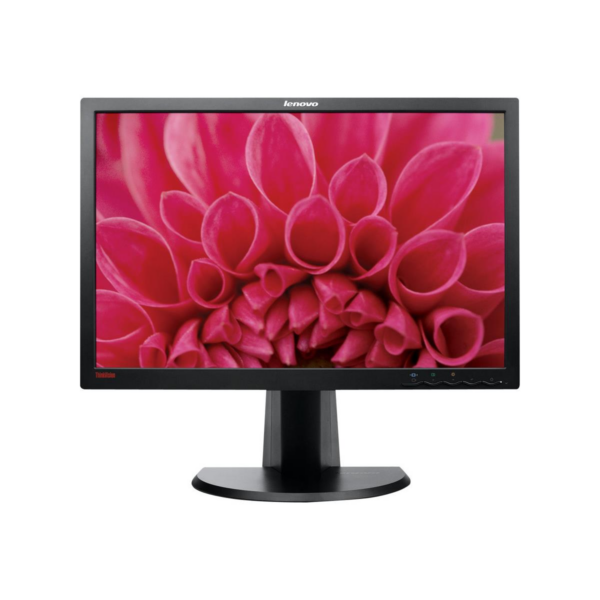
The Lenovo ThinkVision LT2452pwC is a reliable refurbished 24" monitor ideally suited for professional office, telecommuting and fixed desktop/mini PC setup. It offers comfortable working on documents, tables and multiple windows, thanks to its 16:10 format and resolution WUXGA 1920×1200.
The ergonomic stand helps you get the screen at the right height and angle to reduce strain during long hours of use. At the same time, available inputs make it easy to connect to older and newer systems.
Where does it fit?
- Office & Productivity: ideal for ERP/CRM, Excel, dashboards and multi-window monitoring.
- Fixed workstation/home office: comfortable working with text, code and creative tools.
- Corporate setups: easy installation/replacement in offices and classrooms.
Compatibility & Connections
- Connection to PC/laptop via DisplayPort, DVI ή VGA (depending on the outputs of your device).
- If your device has only HDMI ή USB‑C, a suitable adapter/cable (HDMI→DVI/DP or USB-C→DP) is usually required.
- Includes USB hub for connecting peripherals close to the screen (e.g. dongles, mouse/keyboard).
Official Lenovo sources:
Lenovo PSREF (ThinkVision LT2452p / MTM 4420-MB2)
Lenovo User Guide (LT2452pwC)
Does it fit with a laptop that only has HDMI?;
Yes, usually with a suitable adapter/cable (e.g. HDMI→DVI or HDMI→DisplayPort, depending on the device). If you tell us the laptop model, we can confirm what you need.
Can I use it with a Mac?;
In many cases yes, via DisplayPort (directly or with a USB-C→DP adapter). For older Macs with only HDMI, a corresponding adapter is used.
Does it support ergonomic adjustments?;
Yes, it has an ergonomic base with adjustable settings for more comfortable long hours of work (e.g. height/rotation where supported).
What does refurbished mean?;
It means that the monitor has been checked/tested and is functional. If you want, we can let you know the display/condition category before shipping.
Only logged in customers who have purchased this product may leave a review.



Reviews
There are no reviews yet