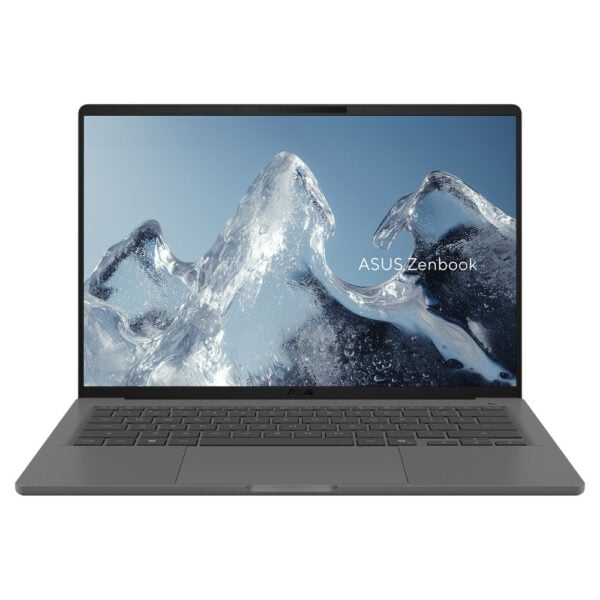
ASUS Zenbook A14 UX3407QA-QD519W 14″ OLED: portable Copilot+ PC with Snapdragon X
The ASUS Zenbook A14 UX3407QA-QD519W It is a slim 14″ laptop for those who want easy portability, comfortable everyday responsiveness, and a modern Windows 11 experience on a Snapdragon X platform.
Who is it suitable for?
It's a good choice for office work, video conferencing, browsing/streaming, and portable productivity. If you use specific business software, special drivers, or corporate VPN/security, it's recommended to do a quick compatibility check (Windows on ARM) before purchasing.
Useful tips before buying
- Compatibility check: For applications that rely on low-level drivers (e.g. some professional tools or peripherals), confirm support on Windows on ARM.
- USB-C hub/dock: If you plan to work with an external display/peripherals, a reliable USB-C hub or dock greatly simplifies everyday use.
- Model identification: Keep the code UX3407QA-QD519W and the SKU OKT-90NB1502-M00ZD0 for easy cross-referencing and finding guides/manuals.
Official sources
Main features (official)
The following comes from ASUS' official technical specifications for the UX3407QA.
- Processor: Snapdragon® X X1‑26‑100 + NPU (as stated in technical specifications)
- Screen: 14.0″ WUXGA (1920×1200) OLED
- Connectivity: USB4 Type‑C (Display/Power Delivery), HDMI 2.1 (TMDS), Wi‑Fi 6E, Bluetooth
- Camera: FHD with IR for Windows Hello
Frequently Asked Questions (FAQ)
What does it mean that it is Windows on ARM (Snapdragon X)?;
Zenbook A14 UX3407QA is based on Snapdragon X (ARM) platform. Windows 11 can run many applications, while some x86 applications run through emulation. For specialized professional software or peripherals with special drivers, it is recommended to confirm compatibility before purchase.
How do I confirm that I am getting the correct model/configuration?;
Check the model code (UX3407QA-QD519W) and SKU (OKT-90NB1502-M00ZD0) on the product and, if you need an exact match, cross-reference the details from the official ASUS support/spec pages for the UX3407QA.
Is the RAM upgradeable?;
According to ASUS' official technical specifications for the UX3407QA, the memory is LPDDR5X on board (built-in), so it is not intended for upgrade after purchase.
Can I connect an external display or dock via USB‑C?;
Yes. The official specifications list USB4 Type-C ports with Display and Power Delivery support, so you can use a compatible USB-C hub or dock for displays/peripherals and simultaneous charging.
Does it support Windows Hello?;
Yes, the technical specifications mention an FHD camera with IR function for Windows Hello support.
What ports does it have?;
According to the official ASUS technical specifications for the UX3407QA: 2× USB4 Type‑C (Display/Power Delivery), 1× HDMI 2.1 (TMDS), 1× USB‑A (USB 3.2 Gen 2) and 1× 3.5mm combo audio jack.
Only logged in customers who have purchased this product may leave a review.





Reviews
There are no reviews yet